
From field issue to finished work.
A fallen tree, a pothole, a faded sign. SAMS Work Orders turns each one into a prioritized job with a crew, a due date and a status everyone can see, from the person in the truck to the public works director.
Every job follows the same clear path.
When something in the right-of-way needs attention, it enters the work-order program. Crews and managers estimate cost, set priority, assign people, and track the job through completion and closure review.
Capture the issue
Title, type, address, priority, description and the GIS link to the asset.
Estimate cost
Recorded and planned cost for budgeting and routing.
Assign & schedule
People, due dates and workflow SLAs.
Close with evidence
Completion review, photos and a locked history.
Your day, on one screen.
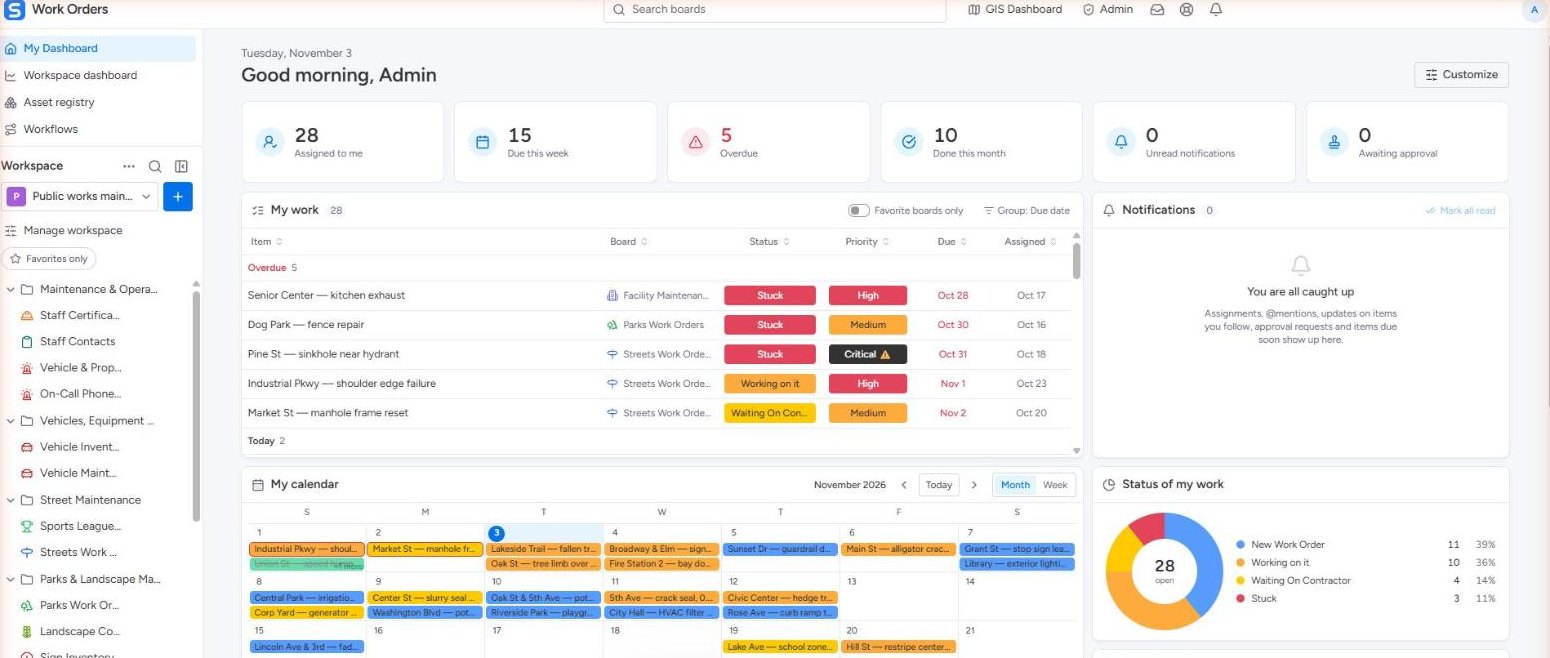
Each person opens SAMS to their own dashboard: what is assigned to them, what is due this week, what is overdue and what they finished this month. Their work list is sorted by due date with overdue jobs on top, next to a calendar of their work, their notifications and a status chart of everything still open.
- Assigned to me, due this week, overdue and done this month
- One list across every board you work on
- Your own calendar and status breakdown
The whole department at a glance.
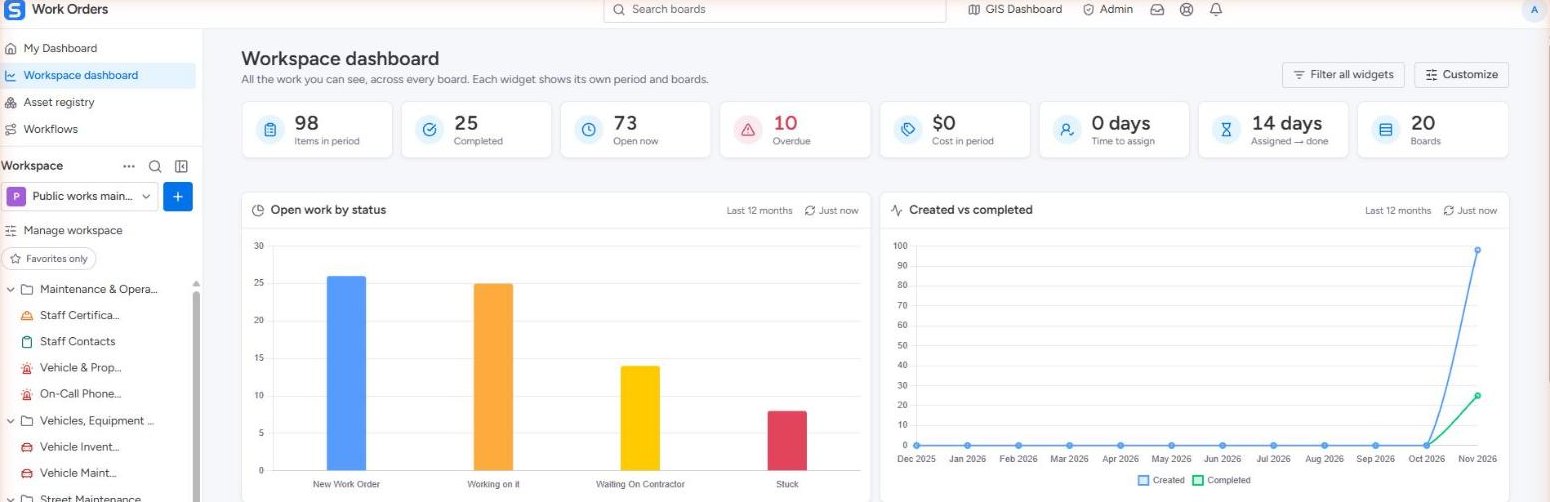
Managers see every board in the workspace together: items in the period, completed, open and overdue work, time to assign and time to finish, plus open work by status and created versus completed over the year. Each widget has its own period and filters.
- Totals across every board you can see
- Open work by status and trend over time
- Customize widgets and filter all of them at once
A board for every crew.
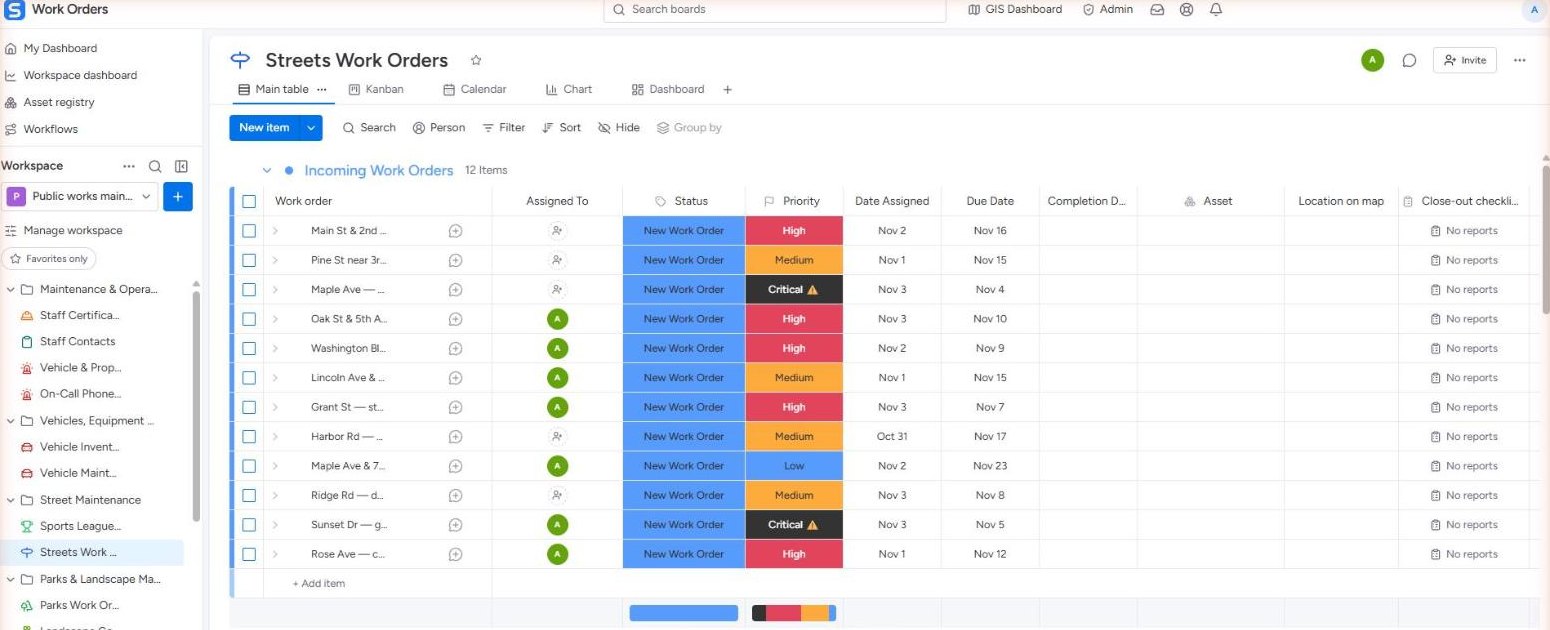
The Streets board groups work orders the way the crew runs them: incoming, in progress, waiting on a contractor, stuck and completed. Each row carries the assignee, status, priority, assigned and due dates, the linked asset, its location on the map and a close-out checklist. Parks, facilities, fleet and every other department get boards of their own.
- Groups by stage, with color-coded status and priority
- Asset, map location and close-out checklist on every row
- Main table, Kanban, calendar, chart and dashboard views of the same work
Move work forward with a drag.
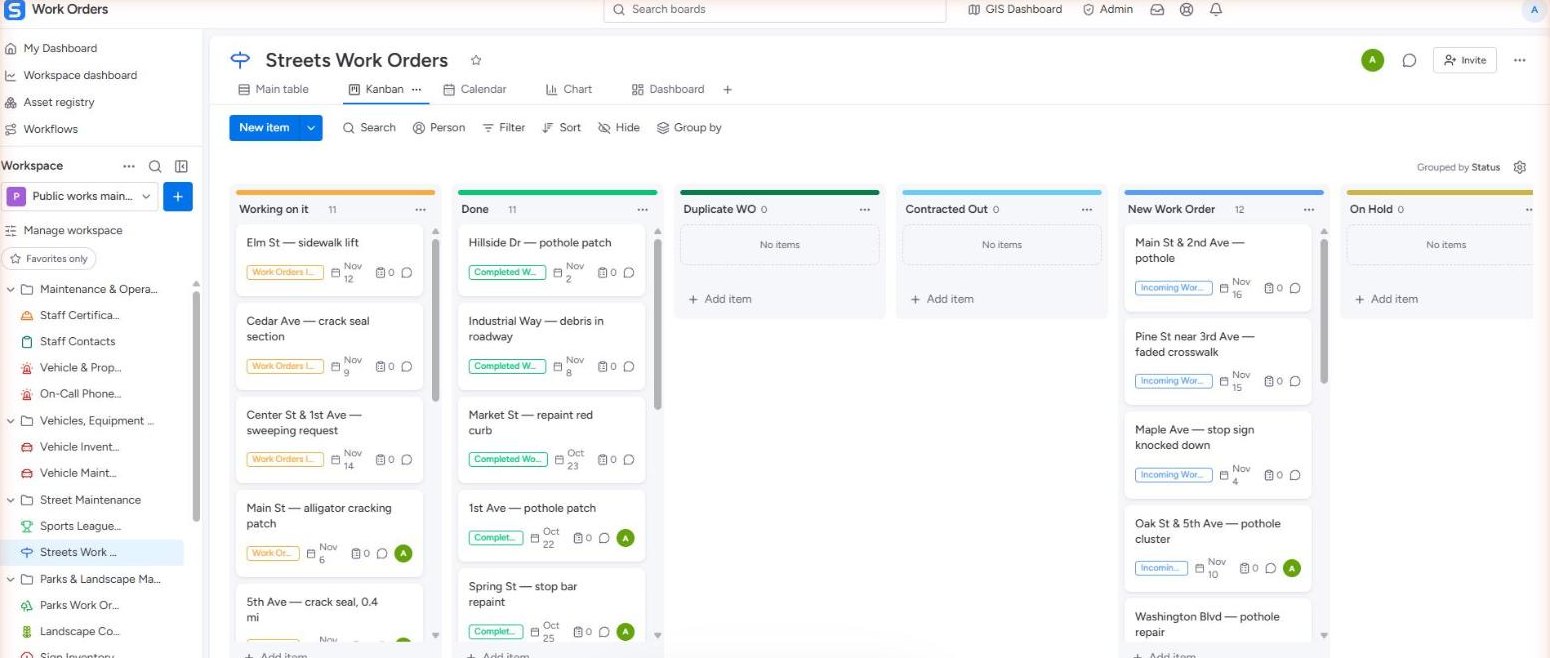
The same Streets work as cards, one column per status. Drag a card from New Work Order to Working on it to Done, and the table, calendar and dashboards update for everyone.
Due dates everyone can plan around.
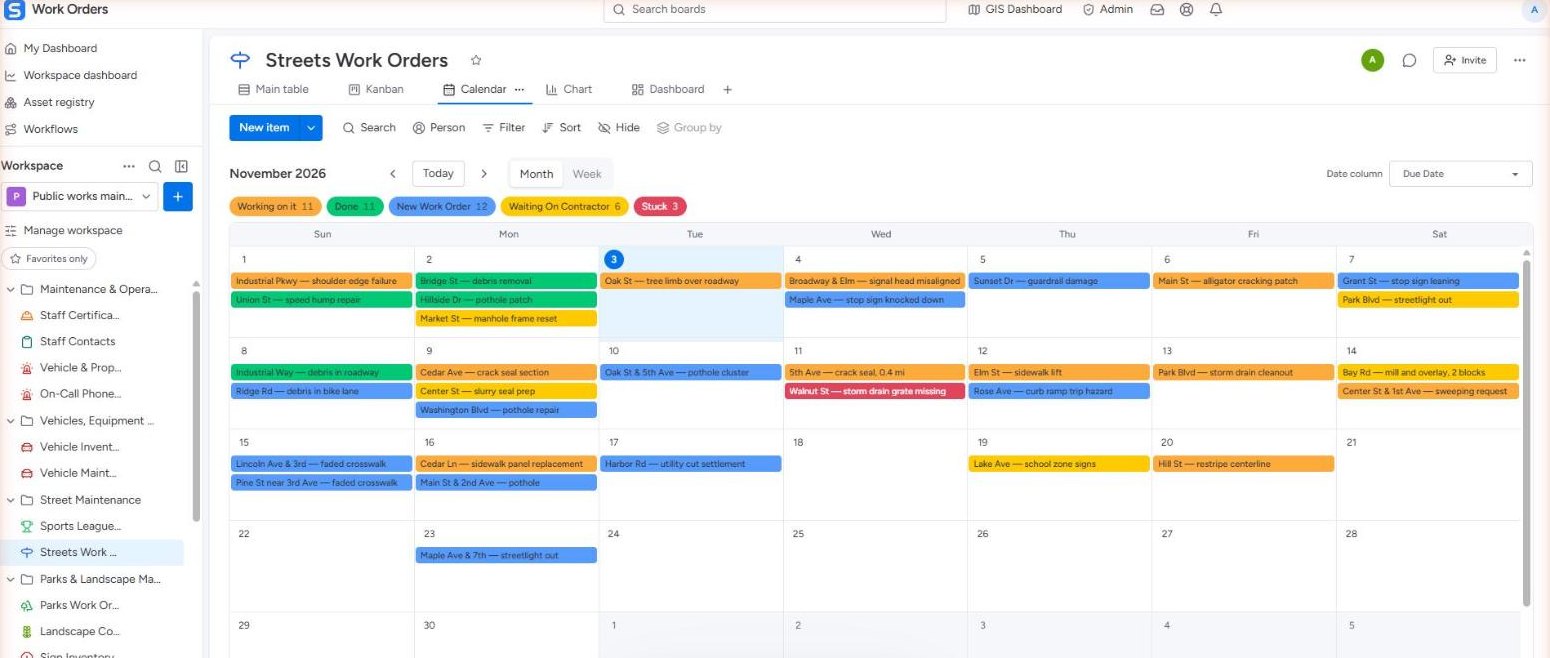
The calendar places every work order on its due date, colored by status, with a count per status across the top. Switch between month and week, or pick which date column drives it, so crews and managers share one schedule.
- Month and week views
- Status colors and counts at a glance
- Choose the date column: due, assigned or completed
Expensive or urgent jobs follow the right path.
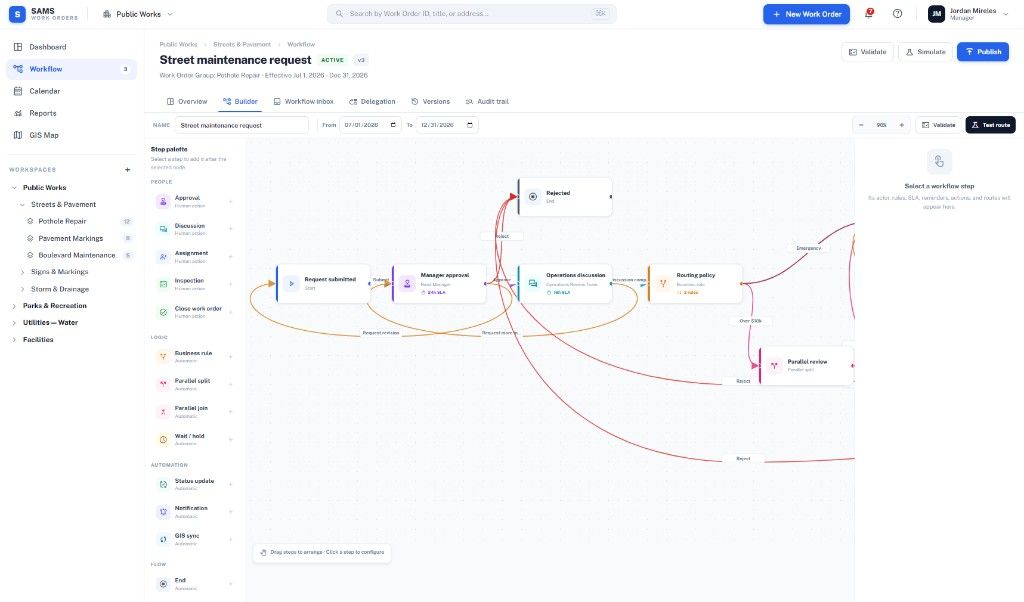
Configurable workflows route work by priority, cost (for example over $10k) or emergency, with manager approval, discussion steps and SLA timers, before any crew mobilizes.
GIS-linked
Create work orders from the map with full asset context.
Asset registry
Every asset's work history in one place.
Mobile & offline
Crews work in the field and sync when back online.
Recurring service
Preventive maintenance on a schedule.
See SAMS with your own data.
A 20-minute demo is enough to see the multi-year picture. We reply within one business day.